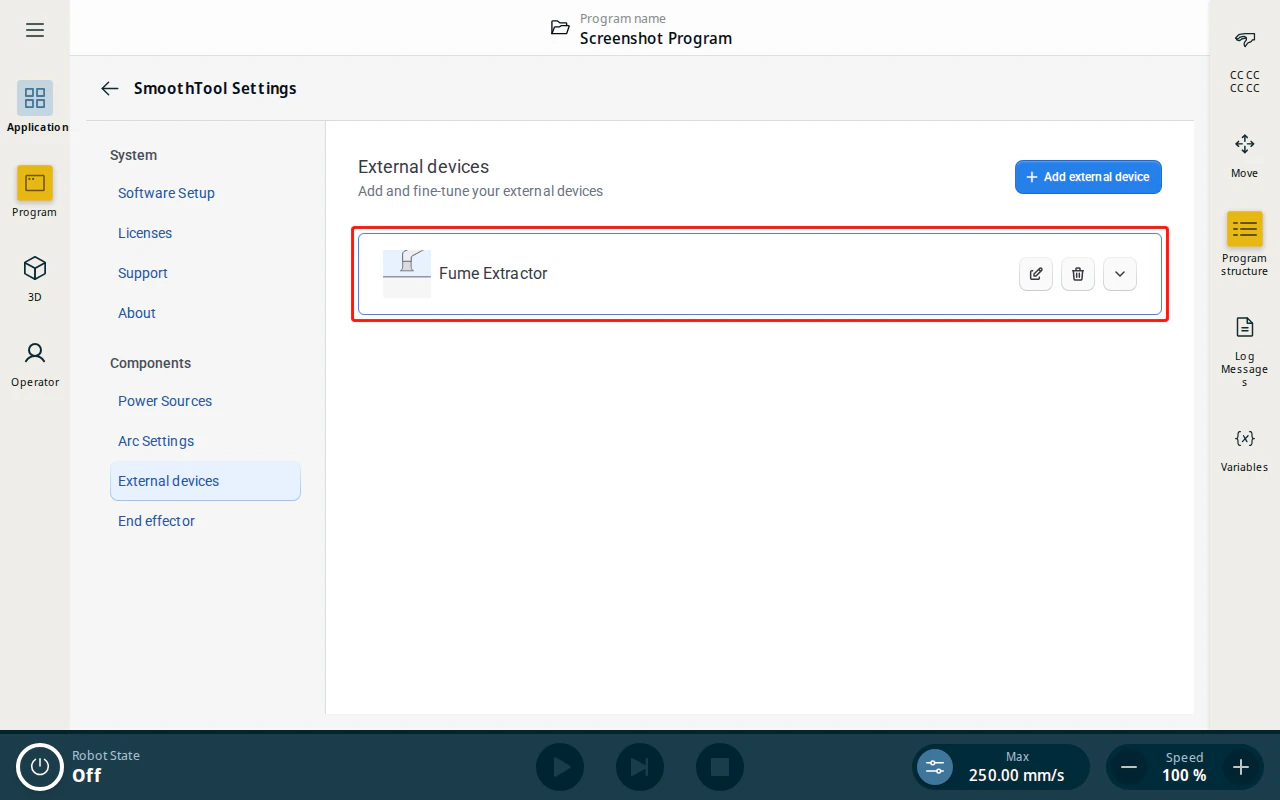
A fume extractor removes welding fumes from the work area. Adding it as an external device lets SmoothTool X start it automatically around each weld.
Add the Fume Extractor
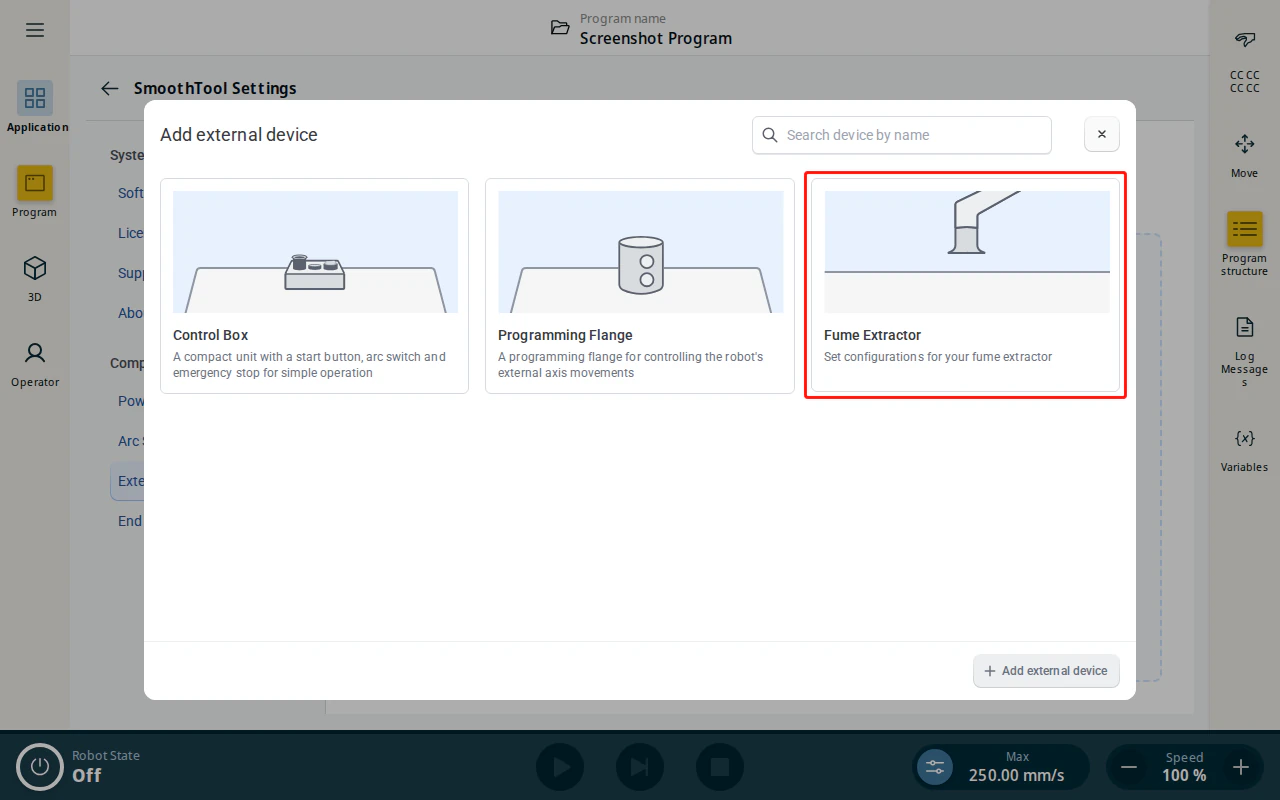
- Open SmoothTool X Settings and tap External devices under Components, then tap Add external device. Select the Fume Extractor tile.
-
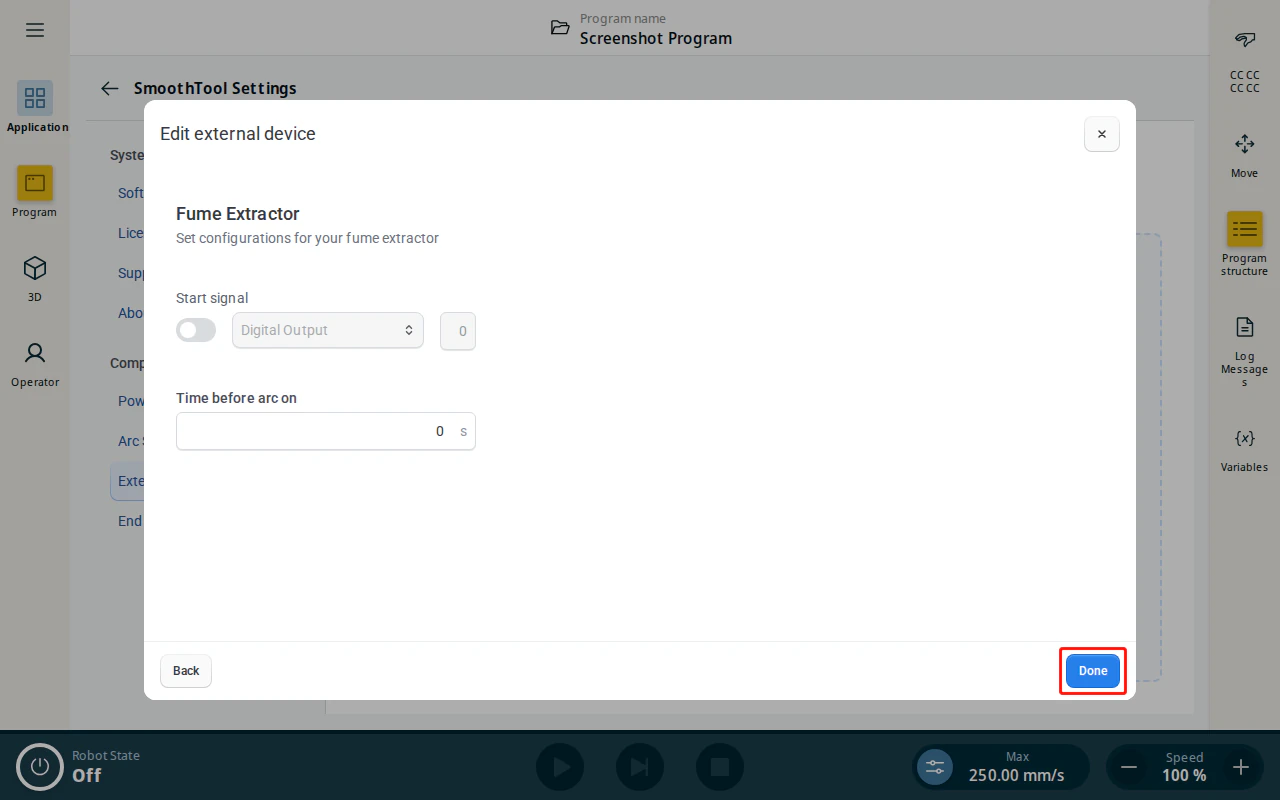
Configure the extractor:
- Start signal — the digital output that turns the fume extractor on.
- Time before arc on — how many seconds the extractor runs before the arc starts, so it is already clearing fumes when welding begins.
-
Tap Done to add the Fume Extractor.
- The Fume Extractor now appears in the External devices list.