A Pipe weld is a specialised node for welding circular profiles such as pipe joints. Select Pipe on the SmoothTool X start page to add a template pre-configured with a circular segment extended to a full 360-degree circle.
How It Works
The Pipe node is structured identically to a General Weld — an Airpoint (Approach), a Weld Seam holding the circular path segment, and an Airpoint (Exit) — but the path is pre-set as a full-circle arc. You only need to teach the Weld Seam, a via point, and an end point; SmoothTool X automatically computes the complete 360-degree loop.
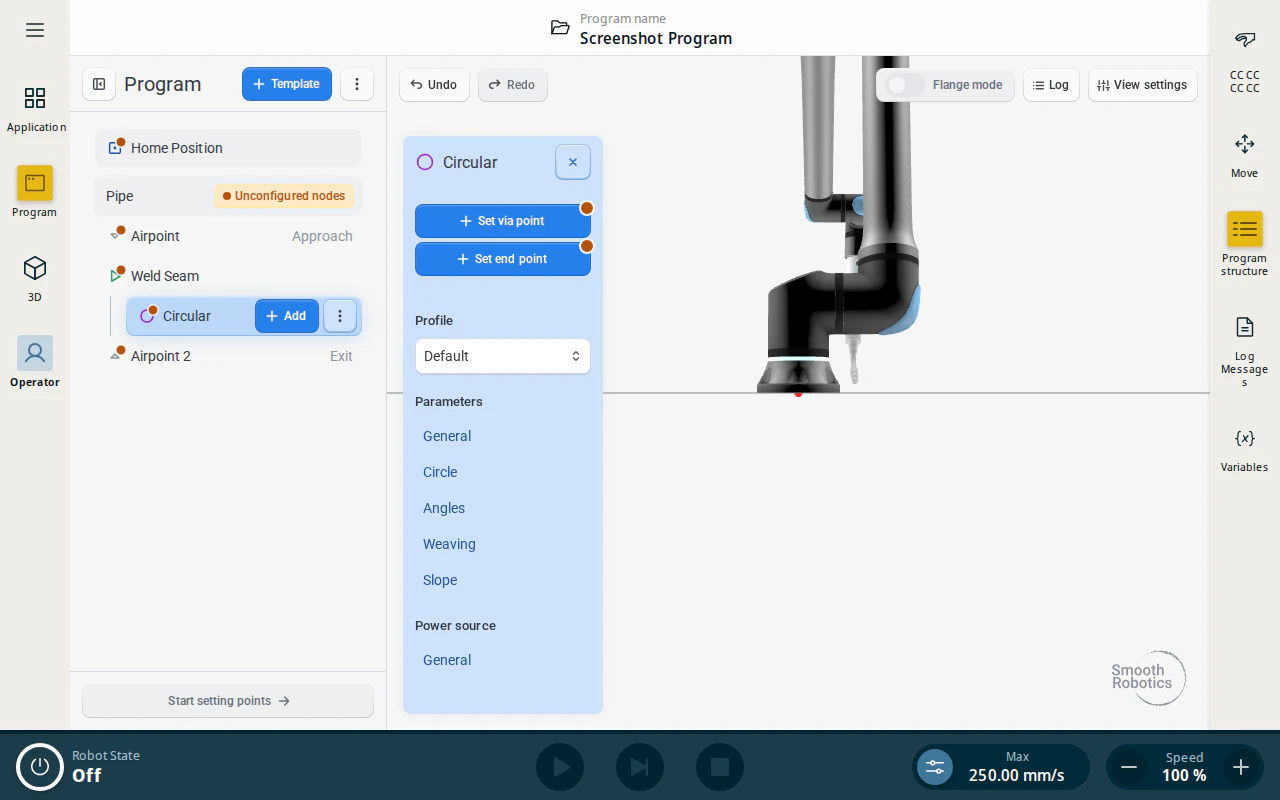
Teaching a Pipe Weld
Once you have inserted the Pipe template into the program tree, you can teach the entire program using the programming flange by enabling Flange Mode. While in Flange Mode, the options available at each step are shown in the guide at the bottom of the screen.
- Teach the Airpoint (Approach): move the robot to a safe position near the pipe and register the point.
- Teach the Weld Seam: position the torch where welding should begin on the pipe circumference.
- Teach the circular via point: move the torch to a point roughly halfway around the pipe.
- Teach the circular end point: this completes the circle definition. SmoothTool X calculates the full 360-degree arc automatically.
- Teach the Airpoint (Exit): move the robot to a safe retract position.
Exit Point Placement
Important
Because the pipe weld ends exactly where it started, the Exit point must be set relative to the Weld Seam position — not relative to the taught end point of the arc.
Set your exit point by moving away from the Weld Seam position to avoid the torch re-entering the workpiece after the arc extinguishes.
Weld Parameters
Pipe welds use the same parameters as General Welds — Travel Speed, End Blend, Stickout Offset, Angles, Weaving, and Slope. See the General Weld guide for a full description of each parameter.