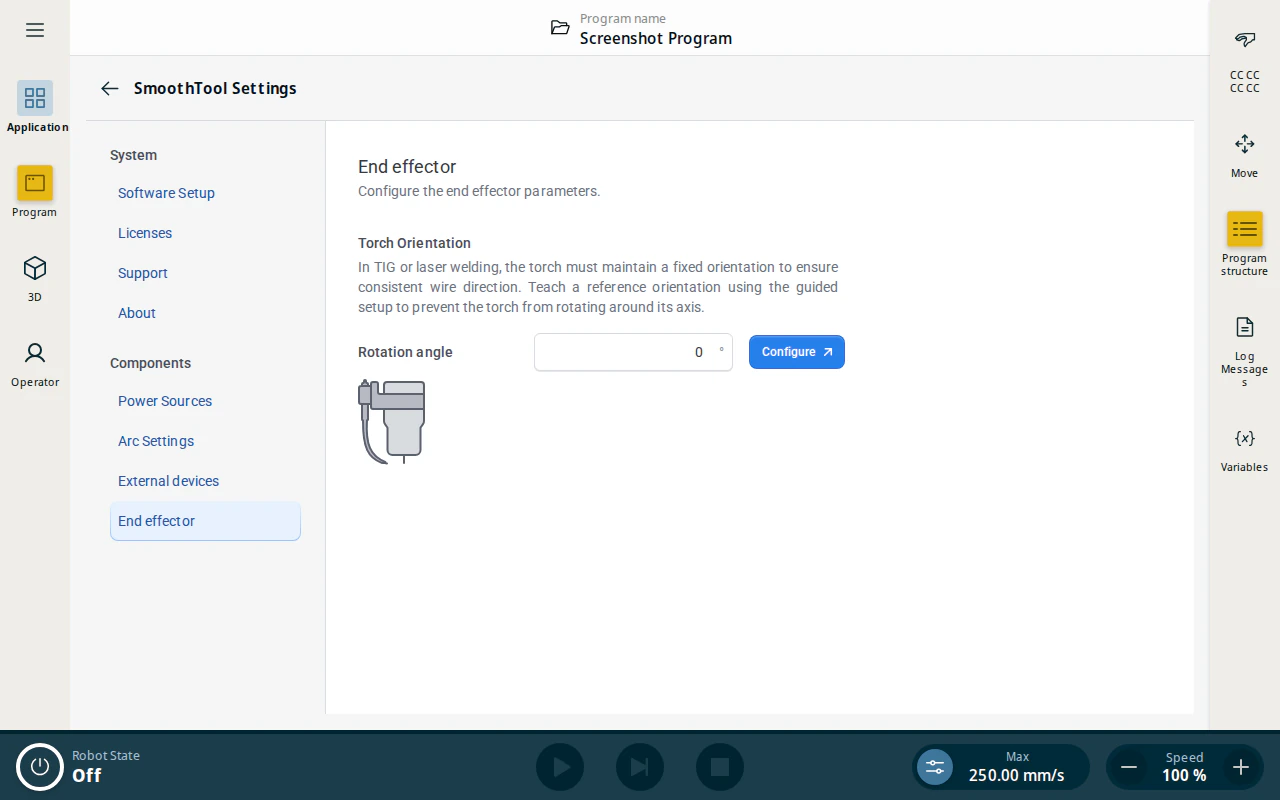
The onboarding wizard‘s Torch Configuration step sets the welding torch orientation. You can also configure it directly from SmoothTool X Settings.
Note
Torch orientation matters most for TIG and laser welding, where the torch must keep a fixed orientation for a consistent weld.
Configure the torch
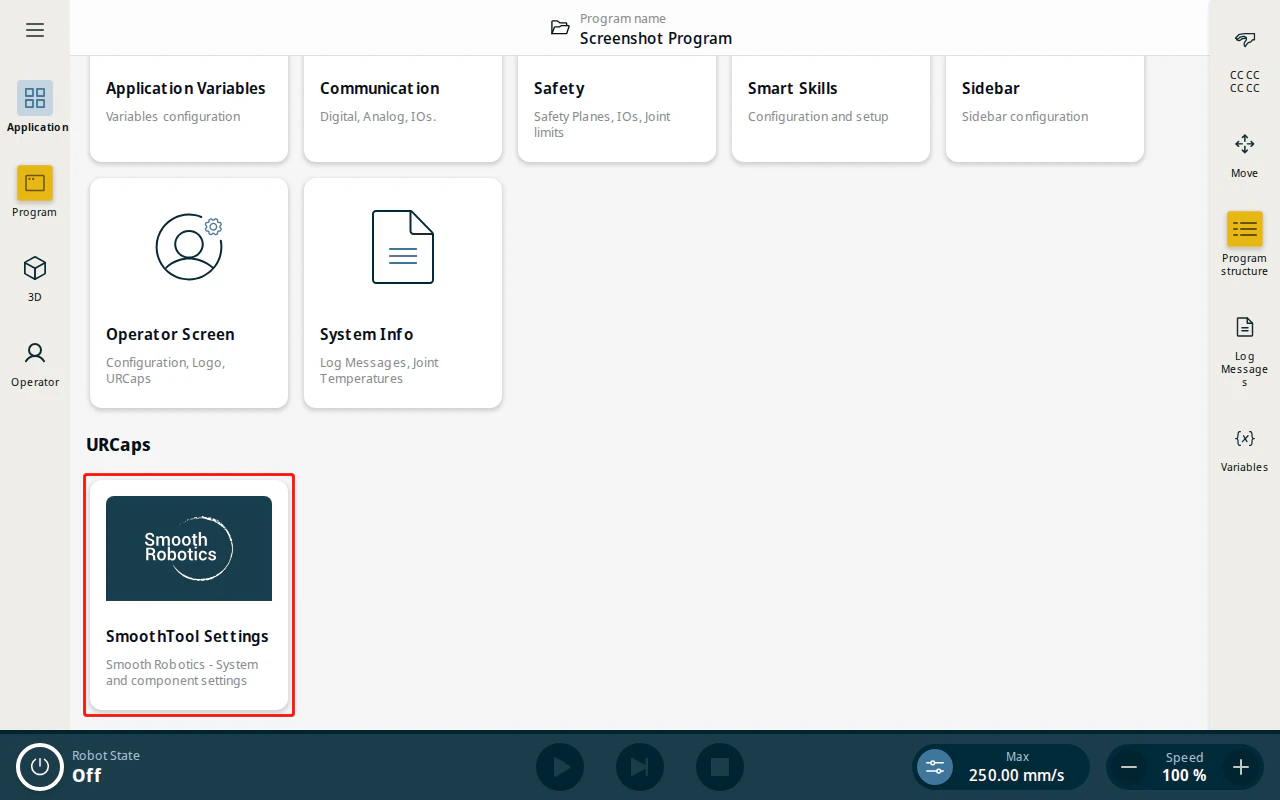
- From the Application view, tap SmoothTool X Settings.
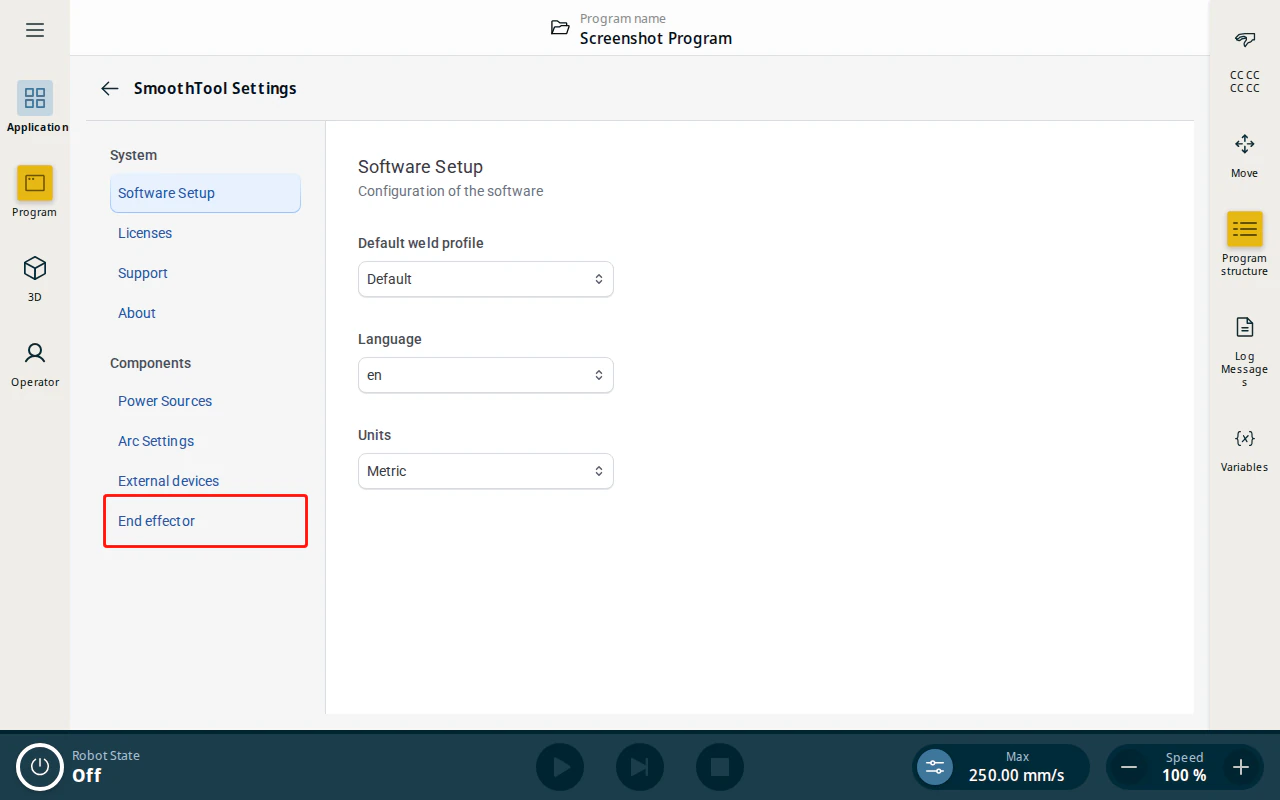
- Under Components, tap End effector.
- Set the Torch Orientation (rotation angle) to match how the torch is mounted, then tap Configure to apply it.