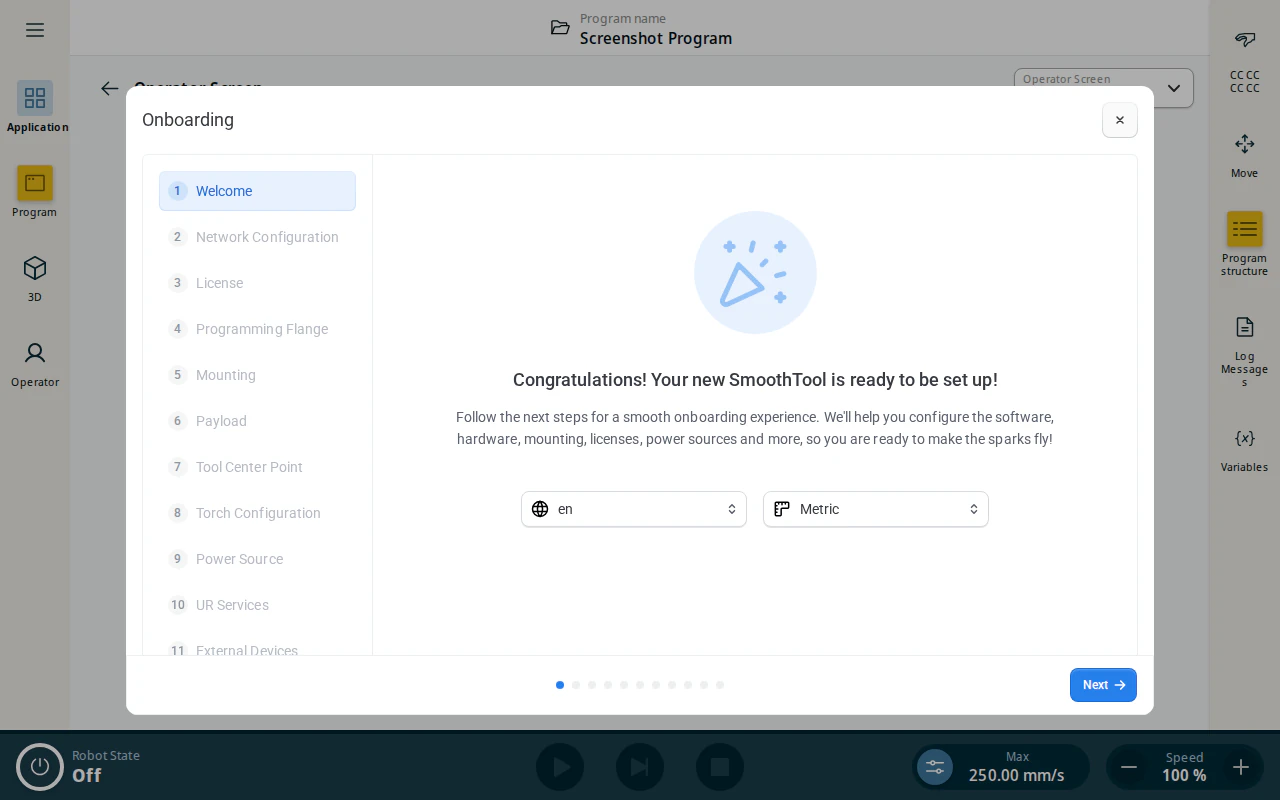
Onboarding wizard guides you through the initial setup. Five of its steps are required before the robot is ready to weld, and the rest are optional:
| Step | |
|---|---|
| Users | required |
| License | required |
| Mounting | required |
| Payload | required |
| Tool Center Point | required |
| Network Configuration | optional |
| Programming Flange | optional |
| Torch Configuration | optional |
| Power Source | optional |
| UR Services | optional |
| External Devices | optional |
The operator screen stays behind a lockdown until every required step is done.
This page shows how to open the wizard. Each step can also be configured without it — follow the linked guide above if you ever need to change a setting on its own.
Open the onboarding wizard
- From the Application view, tap Operator Screen.
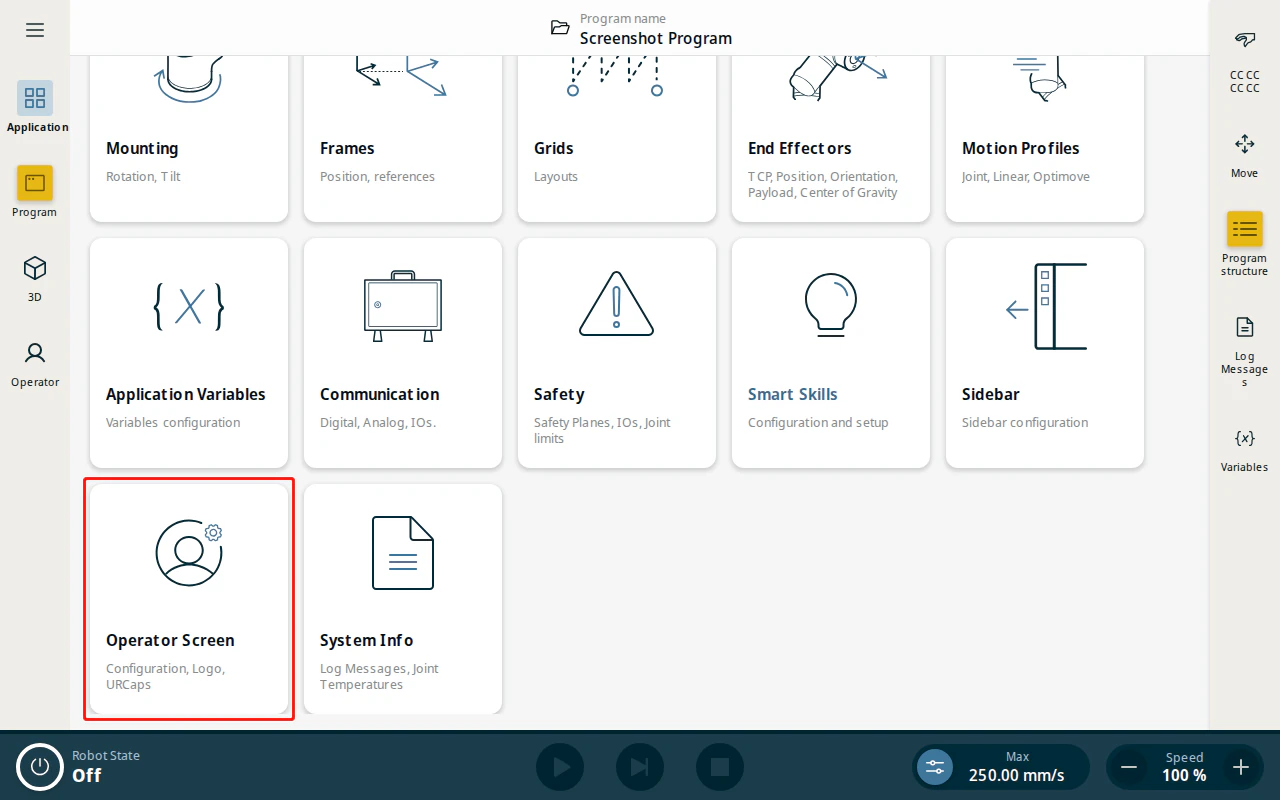
- Using the Operator Screen dropdown in the top-right, select SmoothTool X.

- With SmoothTool X set as the operator screen, the Onboarding wizard opens automatically the first time setup is incomplete. Use the step list on the left, or the Next button, to move through each step.