The onboarding wizard‘s UR Services step authorizes the network ports that SmoothTool X needs to communicate with the robot controller. It does this in one tap by opening the required ports in the robot’s firewall and closing the ones that are not needed.
If you set the robot up without the wizard, open the same ports manually in PolyScope. As these are standard Universal Robots PolyScope X screens, always refer to Universal Robots’ own user manual for the most up-to-date and complete instructions.
Required ports
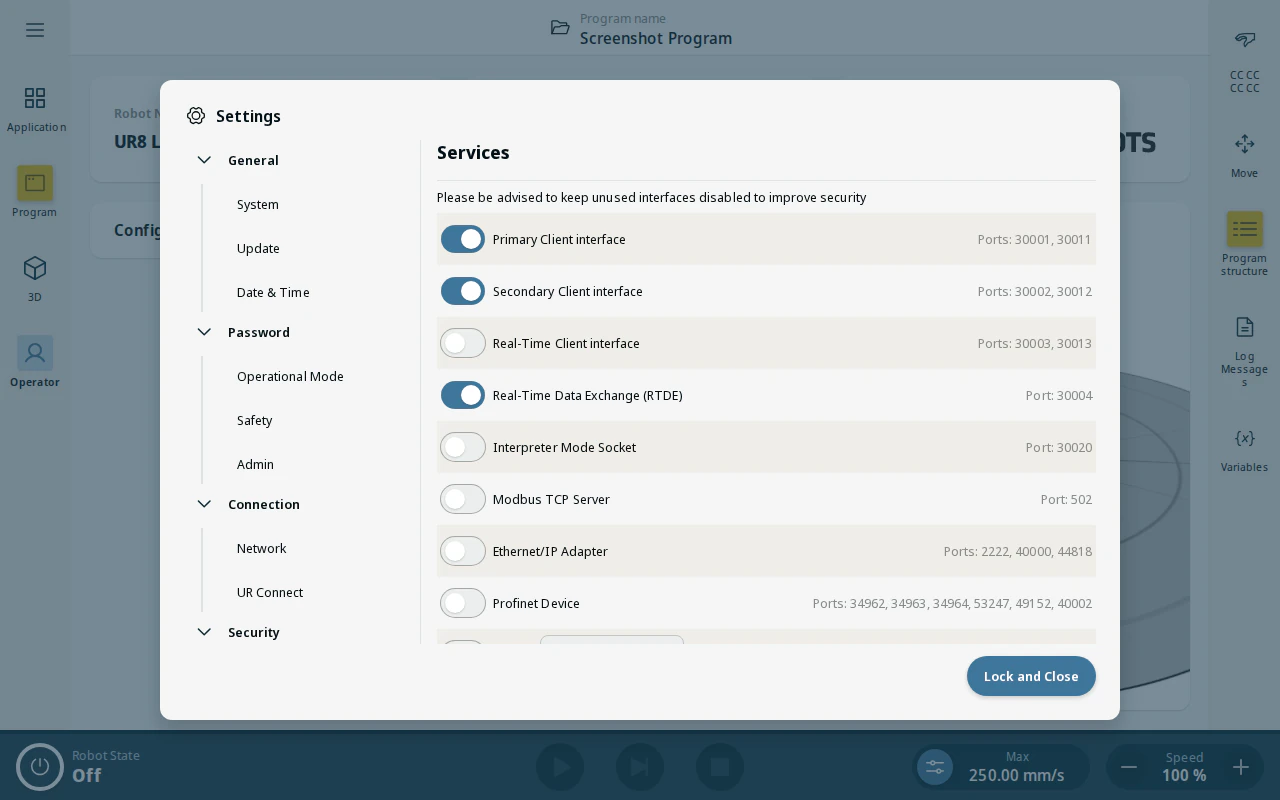
SmoothTool X needs these robot client interface ports open:
| Interface | Ports |
|---|---|
| Primary Client Interface | 30001, 30011 |
| Secondary Client Interface | 30002, 30012 |
| Real-Time Data Exchange (RTDE) | 30004 |
The EtherNet/IP adapter ports (2222, 40000, 44818) should stay closed.
Authorize the ports manually
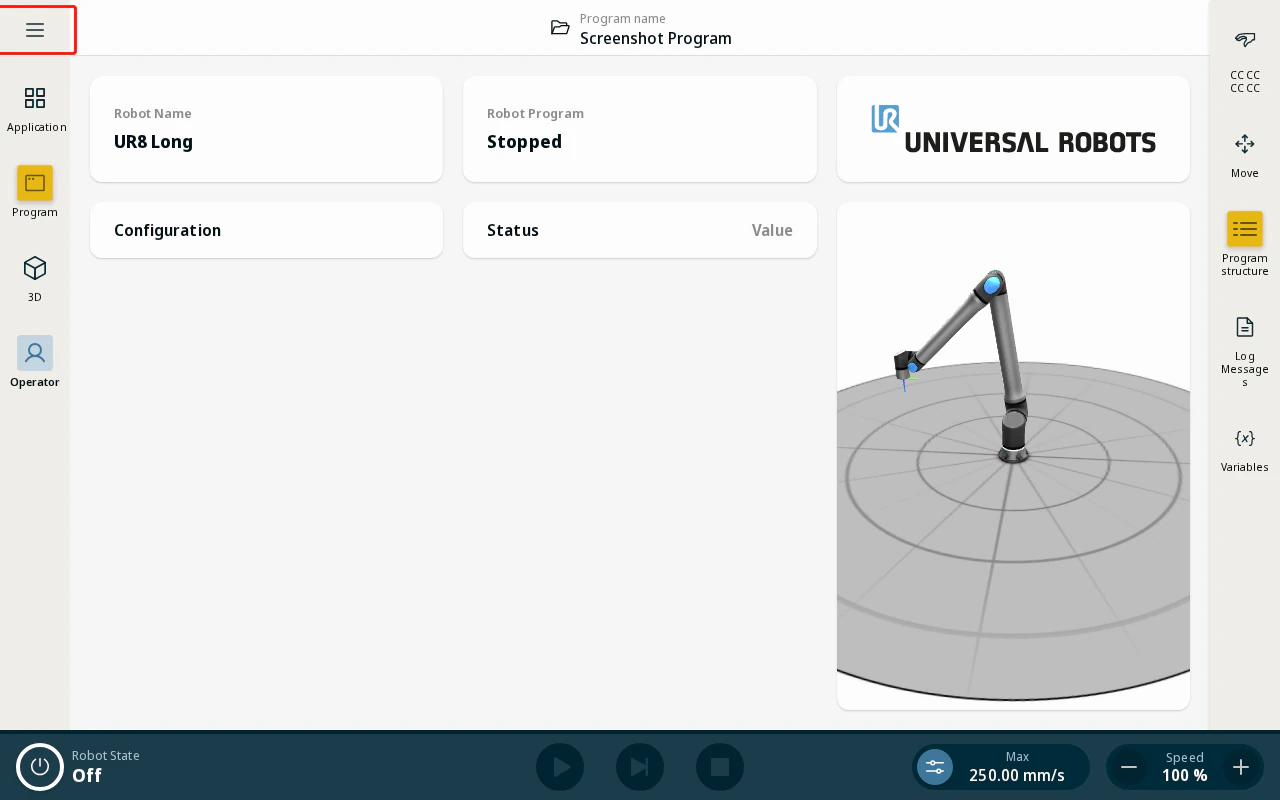
- On the operator screen, tap the hamburger menu icon and tap Settings.
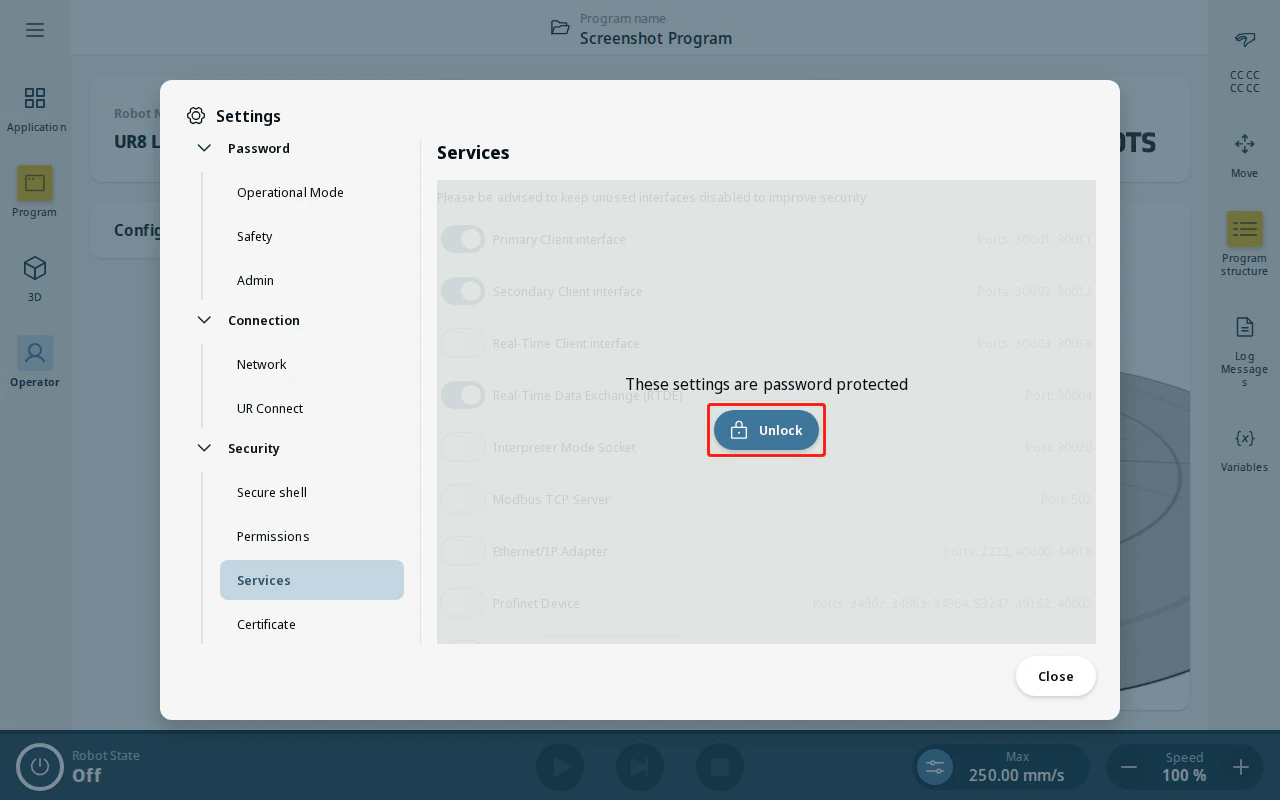
- Under Security, tap Services. The page is password protected — tap Unlock and enter your admin password.
- Enable the services for the Primary Client Interface, Secondary Client Interface and RTDE (the ports in the table above), and keep the EtherNet/IP service off.
- Apply the changes.