The onboarding wizard‘s Power Source step is where you add and connect your welding power source. You can do the same directly from SmoothTool X Settings.
This page is a quick overview of selecting a power source. For the full wiring, network and parameter setup of each brand, follow the dedicated guide in the Power Sources section.
Add a power source
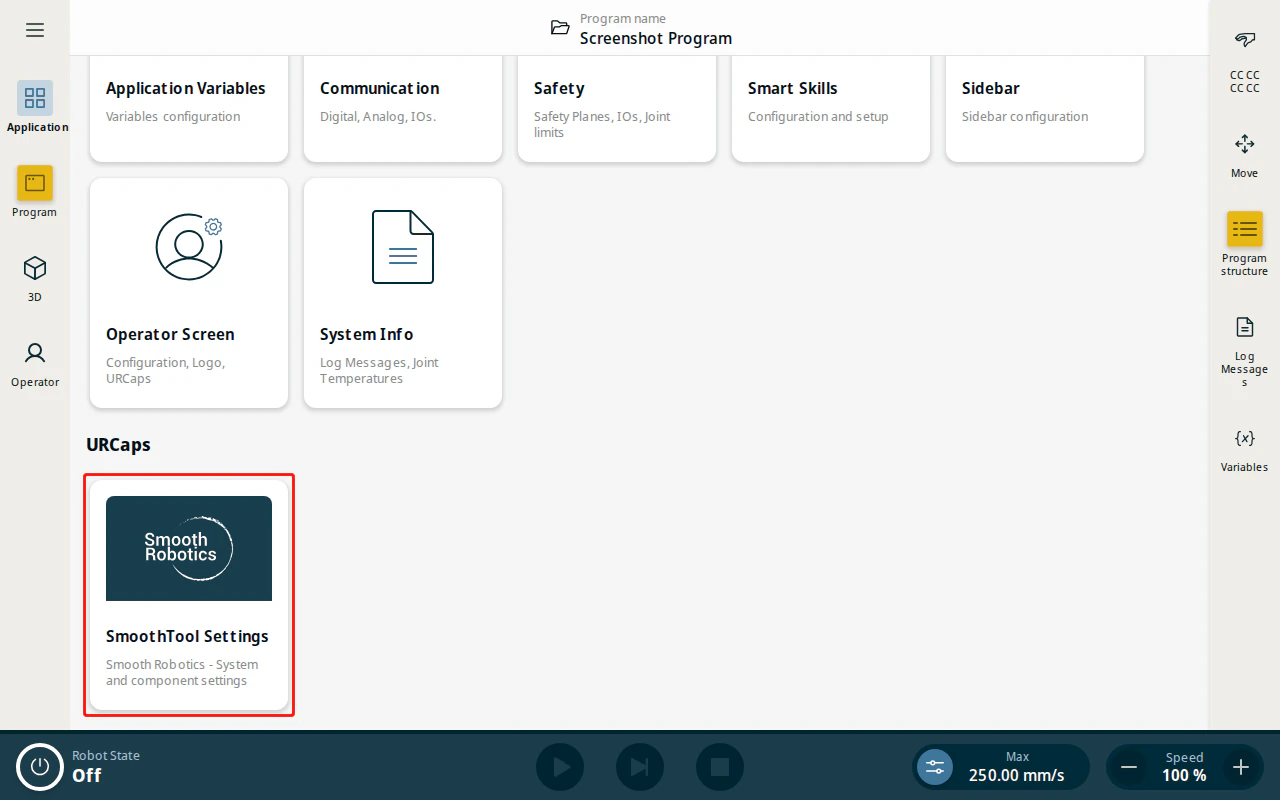
- From the Application view, tap SmoothTool X Settings.
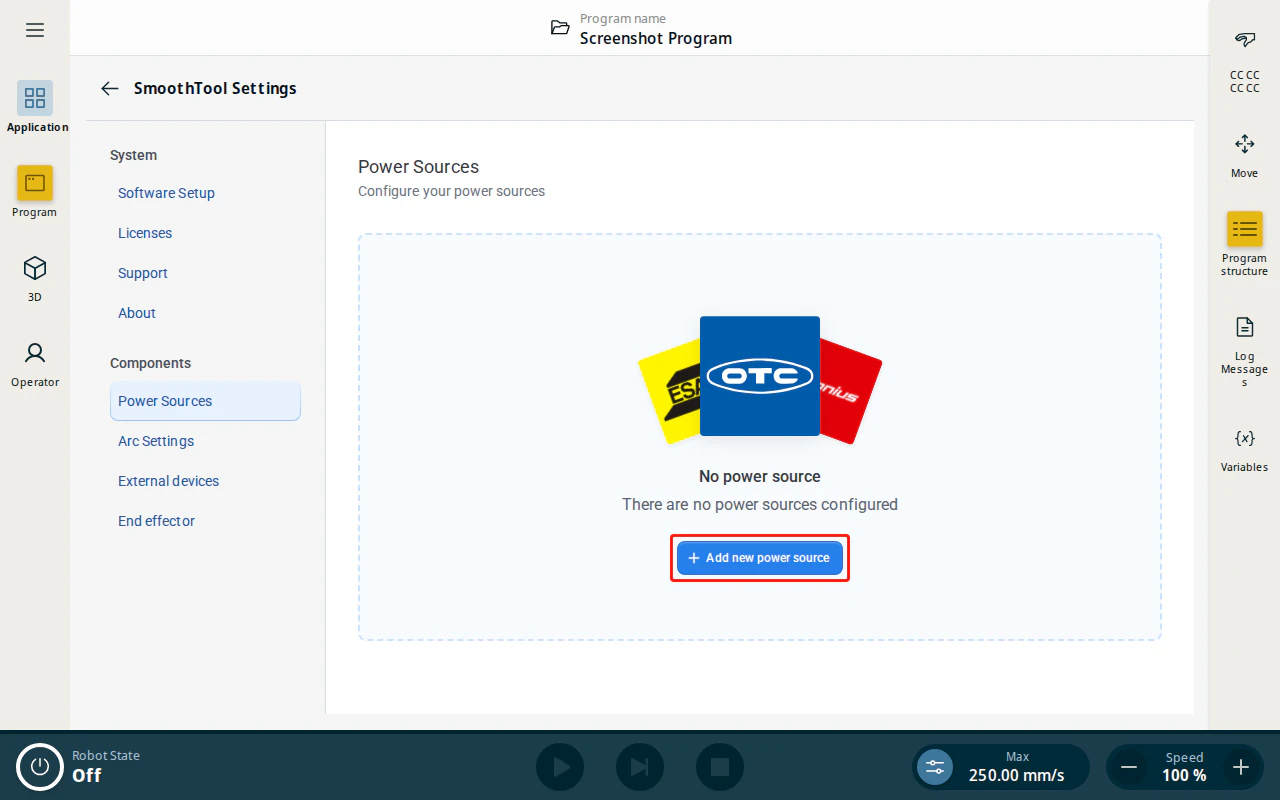
- Under Components, tap Power Sources, then tap Add new power source.
- Select the tile for your power source brand and choose the model, then confirm to open its configuration page.
Next steps
Each brand has its own wiring, communication protocol (EtherNet/IP, Modbus TCP, digital I/O …) and weld parameters. Continue with the guide for your power source:
- See the Power Sources section for your specific brand and model.