The Control Box is a compact unit with a start button, arc switch and emergency stop for simple operation of SmoothTool X from the workpiece. Add it as an external device so SmoothTool X can read and drive its signals.
Add the Control Box
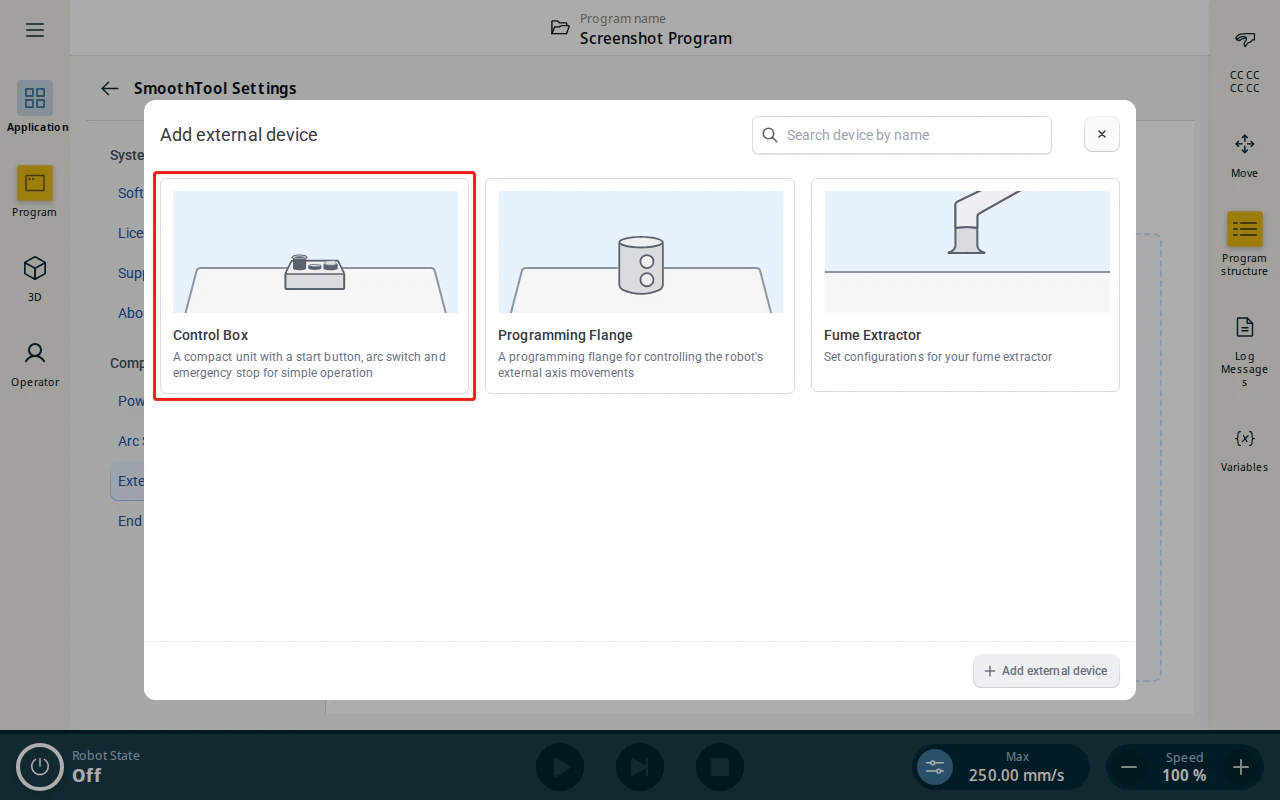
- Open SmoothTool X Settings and tap External devices under Components, then tap Add external device. Select the Control Box tile.
-
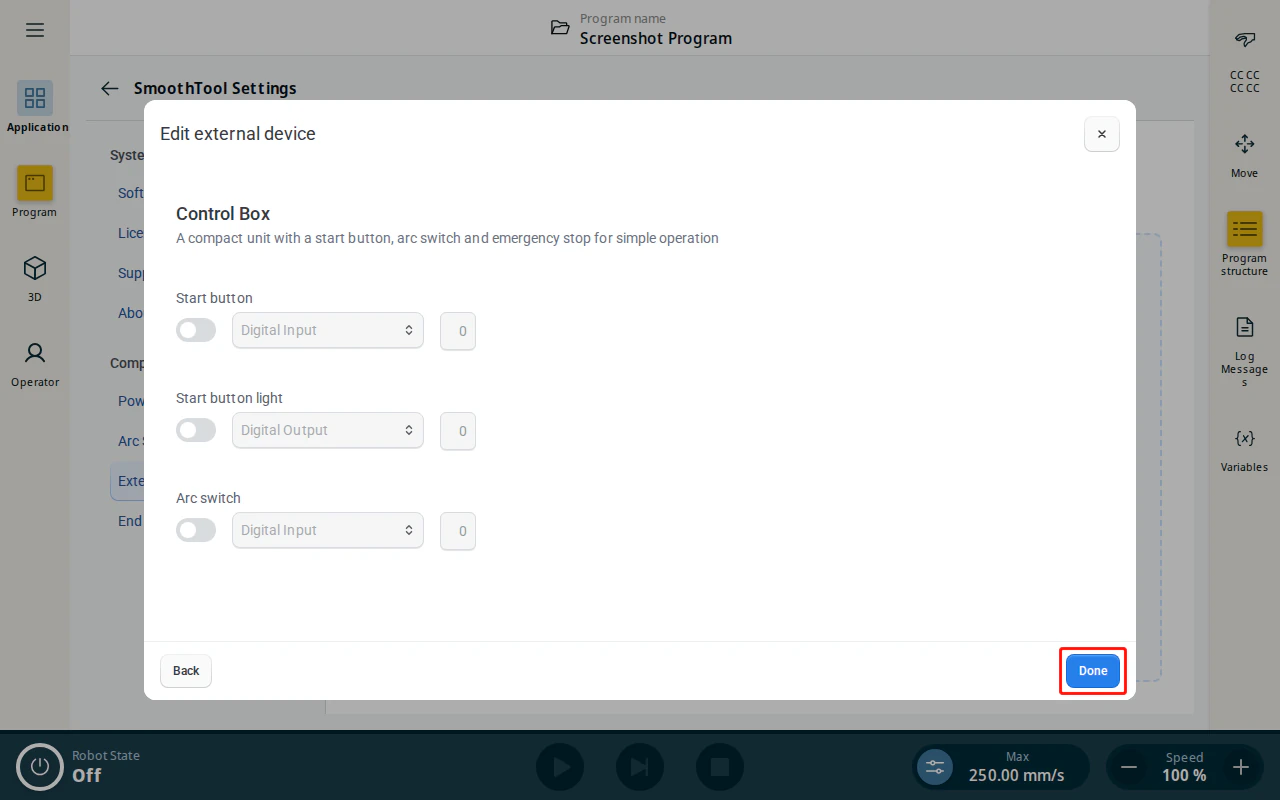
Assign the I/O signals for the box:
- Start button — the digital input the start button is wired to.
- Start button light — the digital output that lights the start button.
- Arc switch — the digital input for the arc switch.
-
Tap Done to add the Control Box.
- The Control Box now appears in the External devices list.
