The onboarding wizard‘s External Devices step is where you add accessories that SmoothTool X controls through the robot’s I/O. You can manage them at any time from SmoothTool X Settings.
SmoothTool X supports these external devices:
- Control Box — a compact unit with a start button, arc switch and emergency stop.
- Programming Flange — teach points and control external-axis movement from the flange.
- Fume Extractor — start a fume extractor automatically around welding.
Add an external device
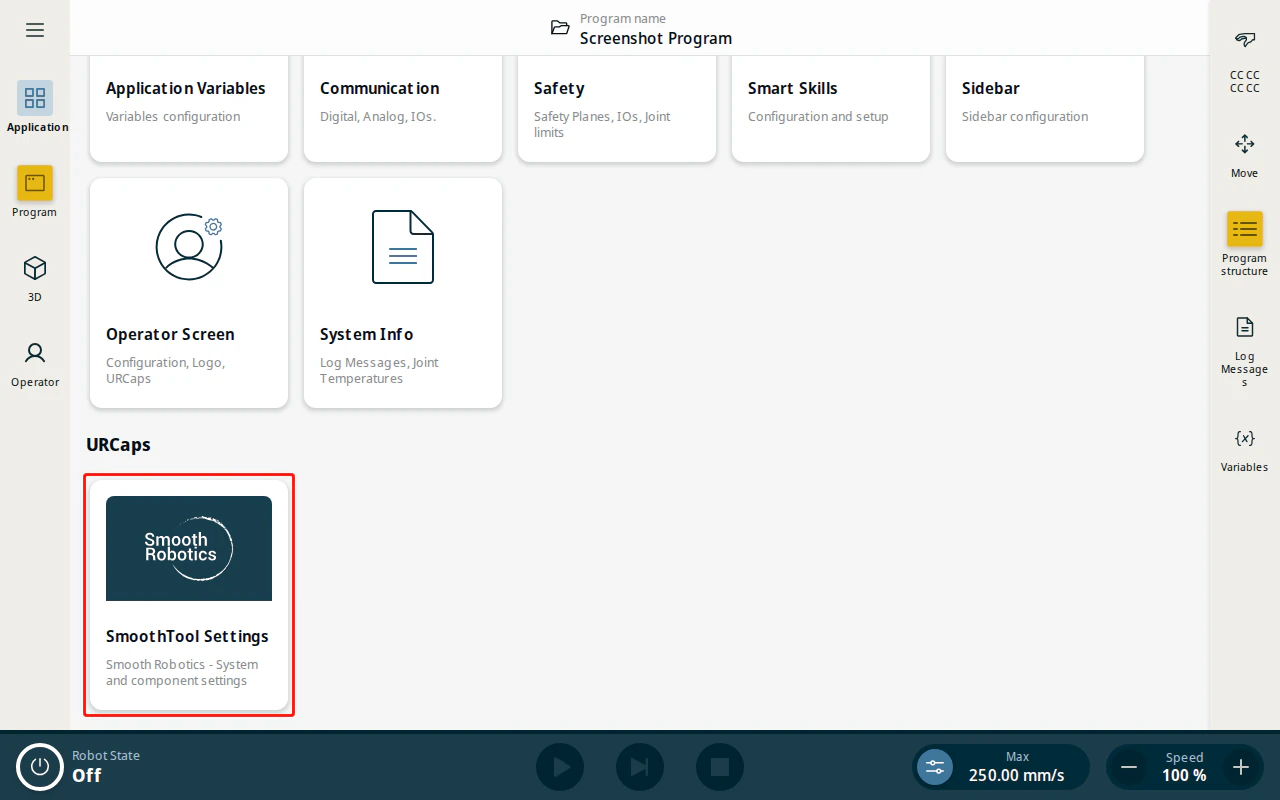
- From the Application view, tap SmoothTool X Settings.
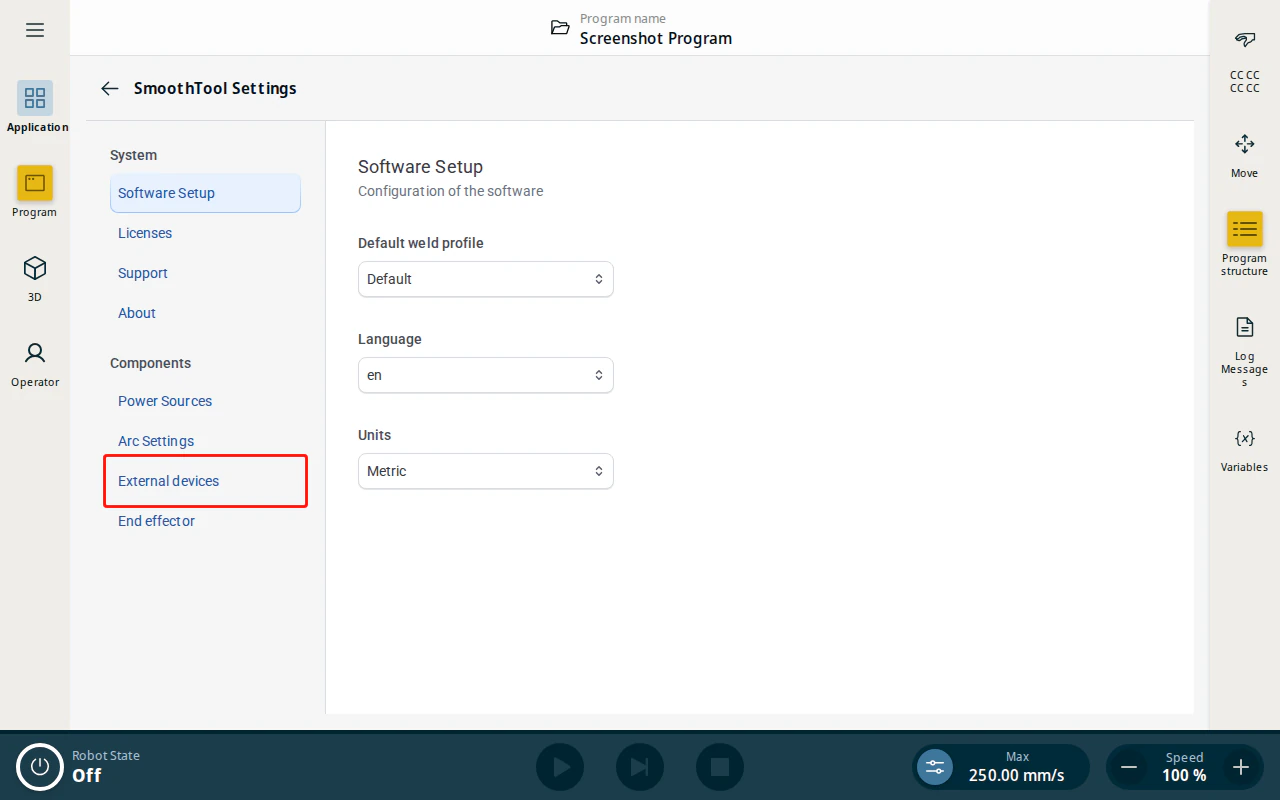
- Under Components, tap External devices.
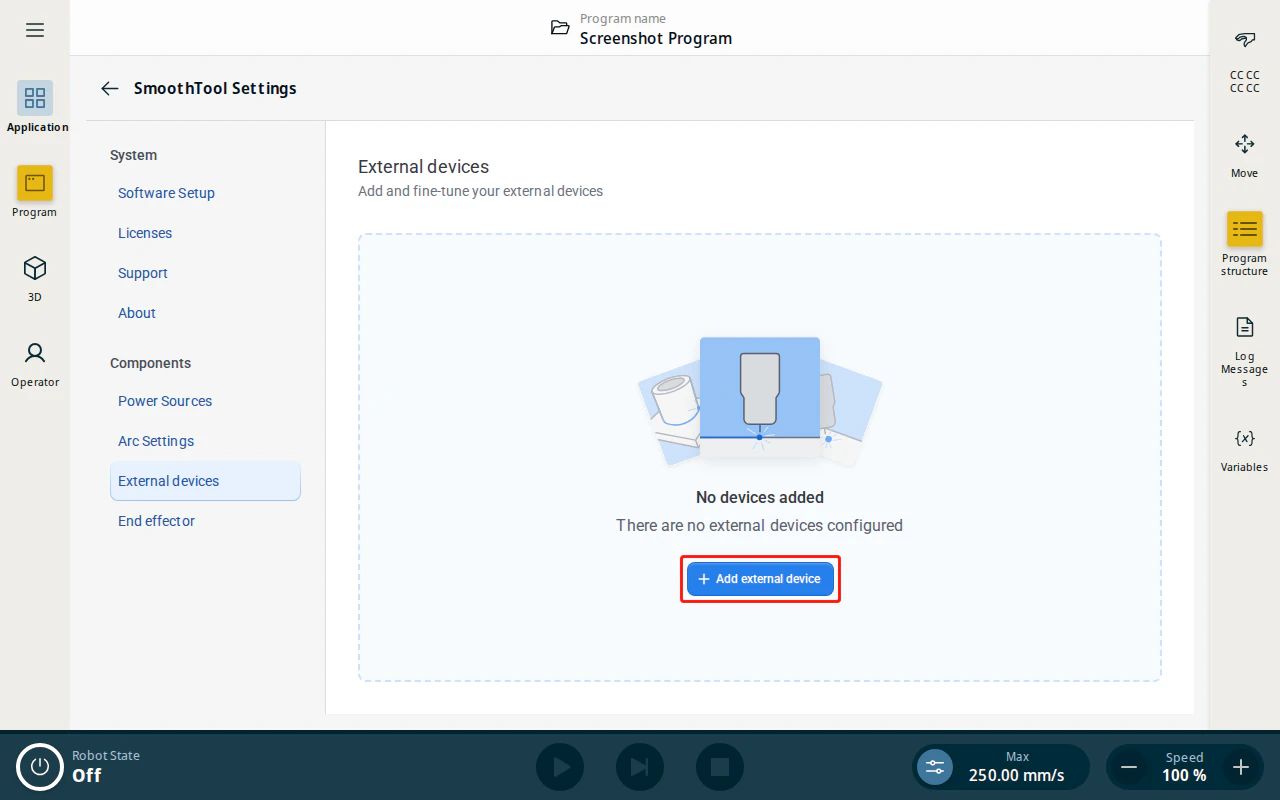
- Tap Add external device, choose the device type, configure its inputs and outputs, and tap Done.
Follow the guide for the device you are adding:
- Control Box
- Programming Flange (e-Series · UR8-long)
- Fume Extractor